
1. Keep the agreed work
Start with the customer, estimate and approved job scope. Keep any changes documented so the final bill reflects the work you agreed to provide.
Prepare an invoice from the work you agreed to do, review the details and send a customer payment link. Full Service Pro connects estimates, jobs and invoices so you can follow the work through to payment.
14 days free · No credit card · Plans from $79/mo, billed monthly
Start with the customer, estimate and approved job scope. Keep any changes documented so the final bill reflects the work you agreed to provide.
Check the line items, quantities and payment details before sending. Keep your job notes available while you prepare the customer’s bill.
Customers can pay by card or bank transfer from the invoice link, depending on your connected payment setup. Follow the invoice status from the same app.
The interactive sample shows an invoice linked to an estimate and a fictional card payment. Try the full sequence without creating an account.
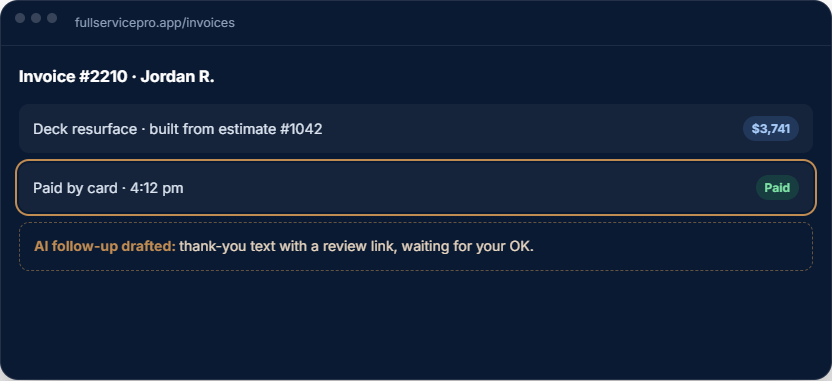
For smaller service jobs, keep the quote and final bill connected to the same customer. Use your own prices when drafting an estimate and review what changed before invoicing.
Explore handyman business software or the contractor estimating workflow.
Confirm your payment processor, card and bank-transfer availability, processing fees and payout timing during setup. Software subscription prices do not include every payment-processing charge.
QuickBooks Online sync and an optional accounting ledger serve different needs. Ask for a demo of your accounting workflow rather than assuming an invoice replaces your bookkeeping process.
Every plan includes AI estimate drafting. Field operations, job costing, phone, text and AI answering depend on the plan and add-ons you choose.
per month, billed monthly
1 seat, assign it as office or field
For an owner managing customers, estimates, scheduling and invoices. Add field operations or phone tools when you need them.
Try Starterper month, billed monthly
5 seats, with GPS and job costing
Includes field operations with GPS and dispatch, plus job costing. Phone, text and AI answering are optional additions.
Try Proper month, billed monthly
8 seats, with phone, text, and AI answering, then add seats
Includes field operations, job costing, phone, text and AI answering. Usage charges apply beyond included allowances.
Try TeamAnnual billing options are available. Extra seats, add-ons and communications usage can change your total. Payroll, HR and accounting are separate options. See current pricing, allowances and add-on rates.
The software trial lasts 14 days and requires no credit card. Check phone provisioning and usage terms before setting up live call answering.
Yes. The invoicing workflow connects to the customer and job. Review the bill, including any changes to the approved scope, before sending it.
Customers can use card or bank-transfer options from the invoice link, depending on your connected payment setup. Confirm processing fees, availability and payout terms with your provider.
No. Full Service Pro supports home service contractors and crews. Use the trial to check your estimating, job and billing workflow for the services you provide.
The invoicing workflow is part of the core software. The accounting ledger is a separate option; check current plan details and your QuickBooks Online workflow before choosing add-ons.
No card, no sales call. If it doesn't save you time in two weeks, walk away.